1IPTV puts you in complete control of your content library. Whether you want to reorder channels with a simple drag, clean up old sources with mass-delete, instantly copy a channel to your Favorites, or lock specific playlists behind a PIN for family safety — every tool is built right into the app, accessible in just a few taps.
1. Your Playlist Dashboard
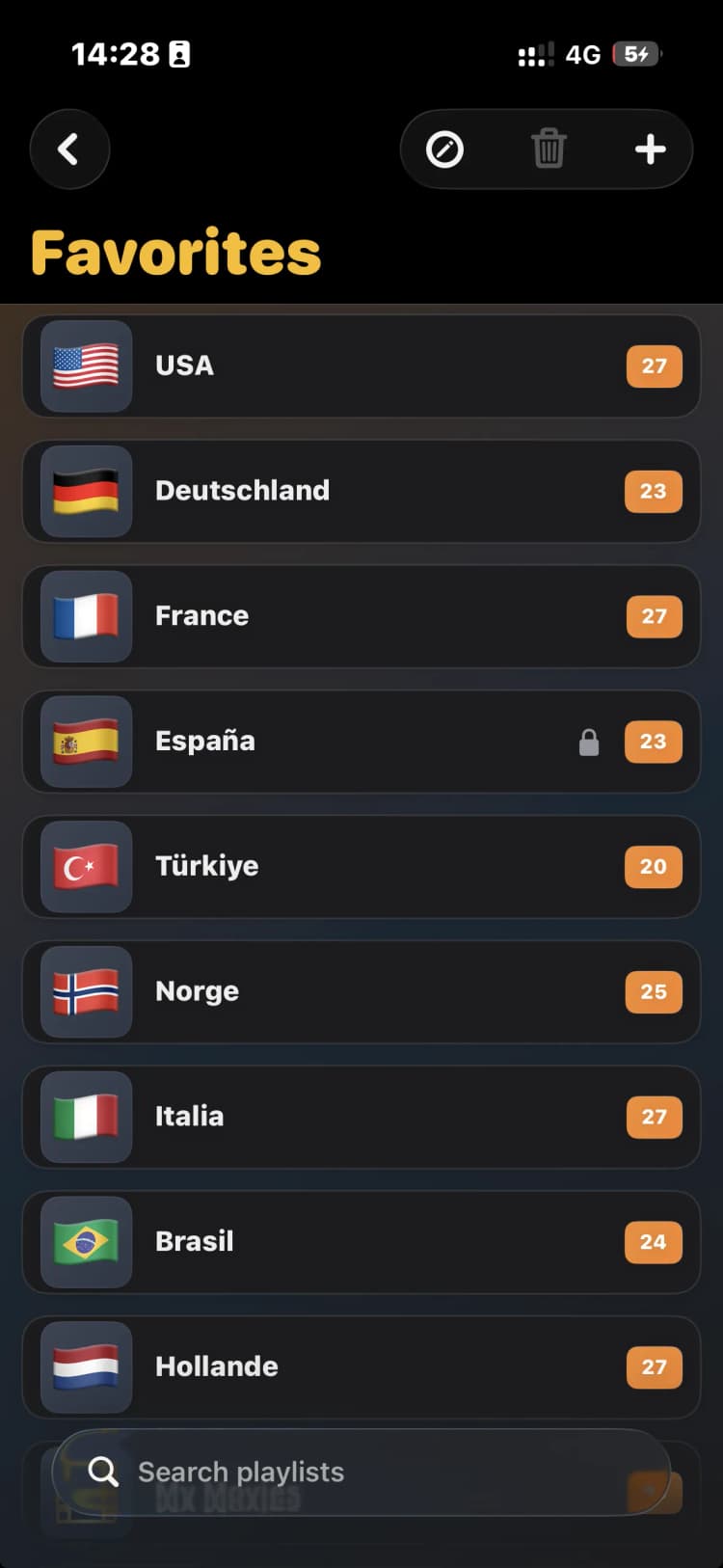
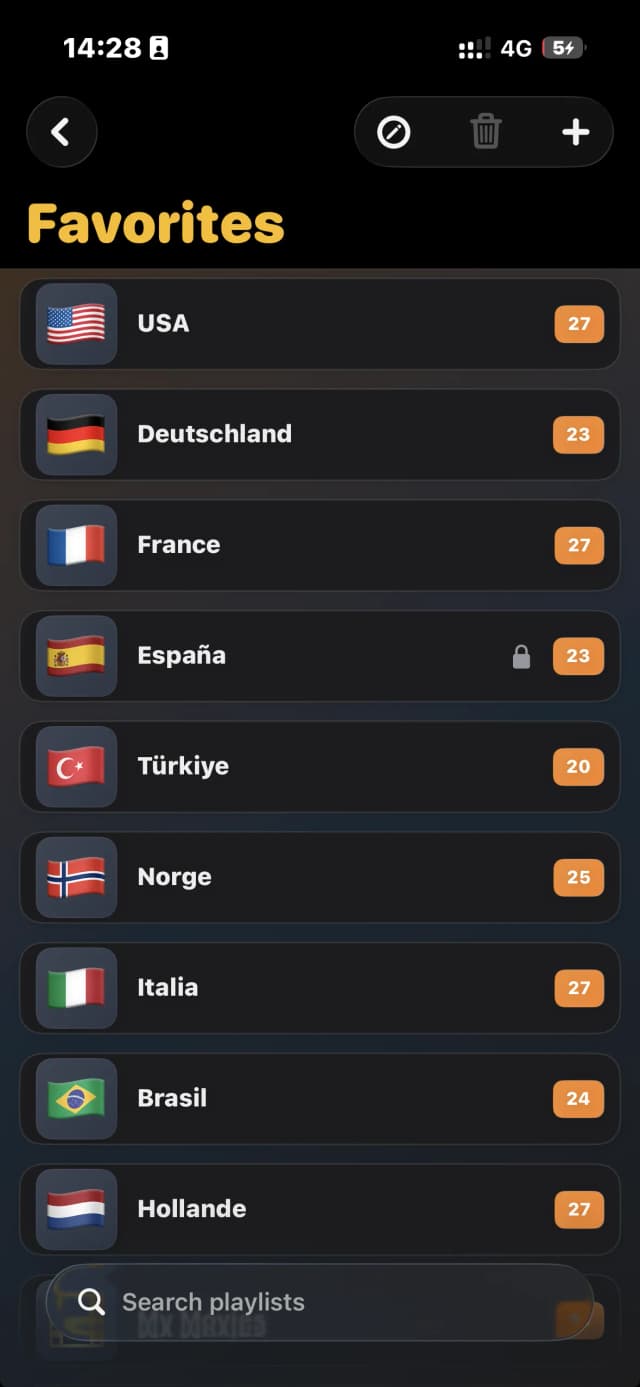
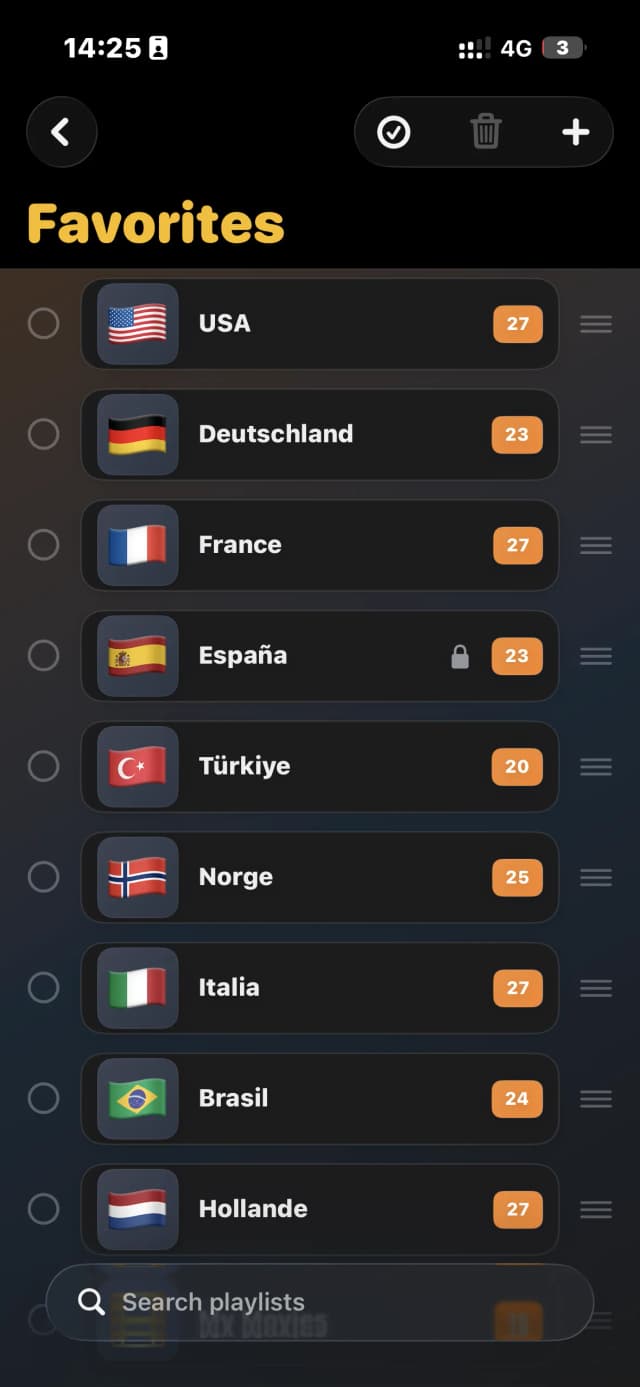
The Playlists screen gives you a bird's-eye view of all your sources. Each entry shows its flag icon, name, and the total channel count in an orange badge. A lock icon appears on any playlist you have protected with a PIN. The toolbar at the top provides quick access to edit mode, bulk delete, and adding new playlists.
2. Edit Mode: Drag & Drop and Mass Delete
Tap the checkmark icon in the top toolbar to enter Edit Mode. Each playlist row gains a circular checkbox on the left and a drag handle (≡) on the right. Long-press and drag a handle to reorder playlists into any sequence you prefer. Select multiple playlists using the checkboxes, then tap the trash icon to delete them all at once — a huge time-saver when cleaning up old sources.
3. Copy to Favorites
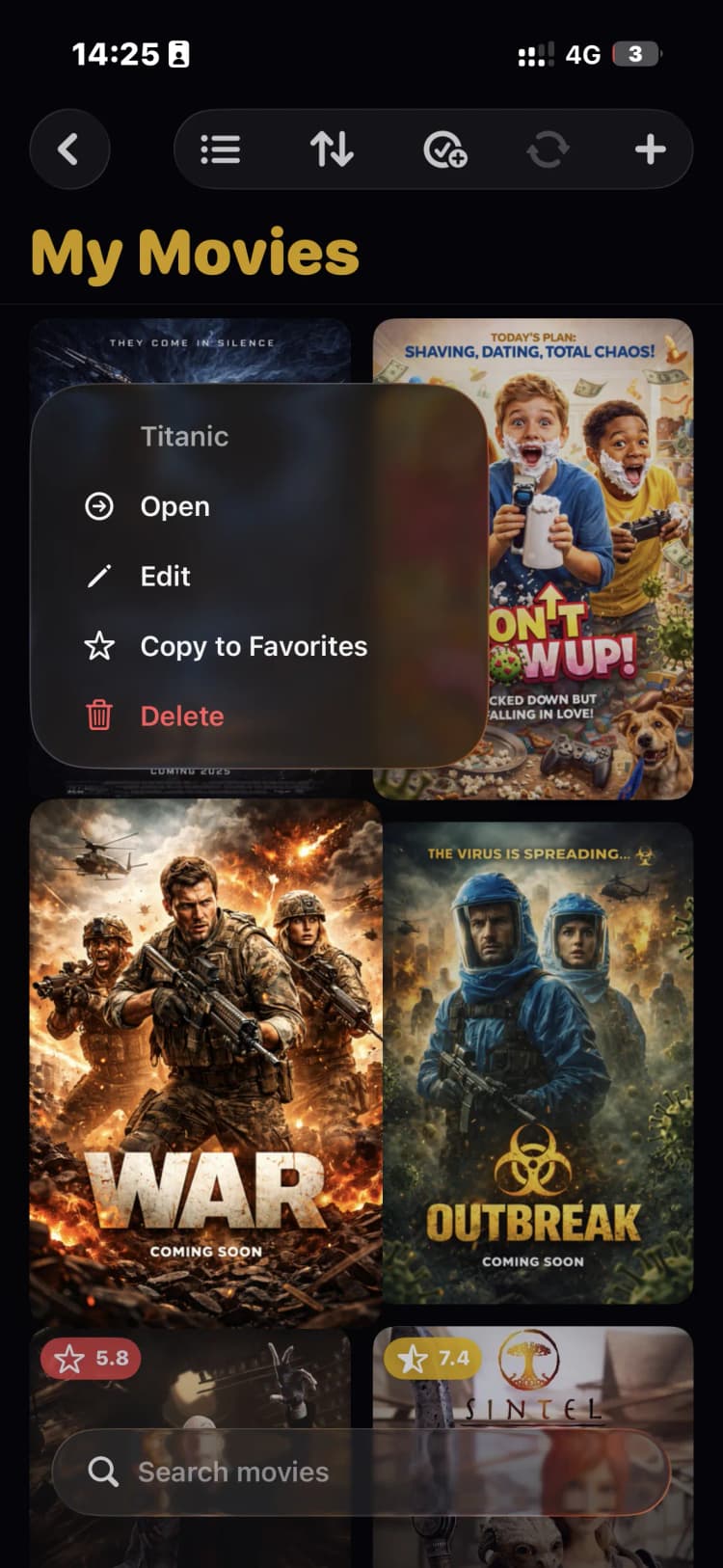
Inside any playlist or asset grid, long-press a channel or content item to open the context menu. You will see options to Open, Edit, Copy to Favorites, or Delete. Tapping 'Copy to Favorites' instantly adds that item to your dedicated Favorites playlist — accessible from any device thanks to real-time cloud sync.
4. Edit Details & Apply a Parental Lock
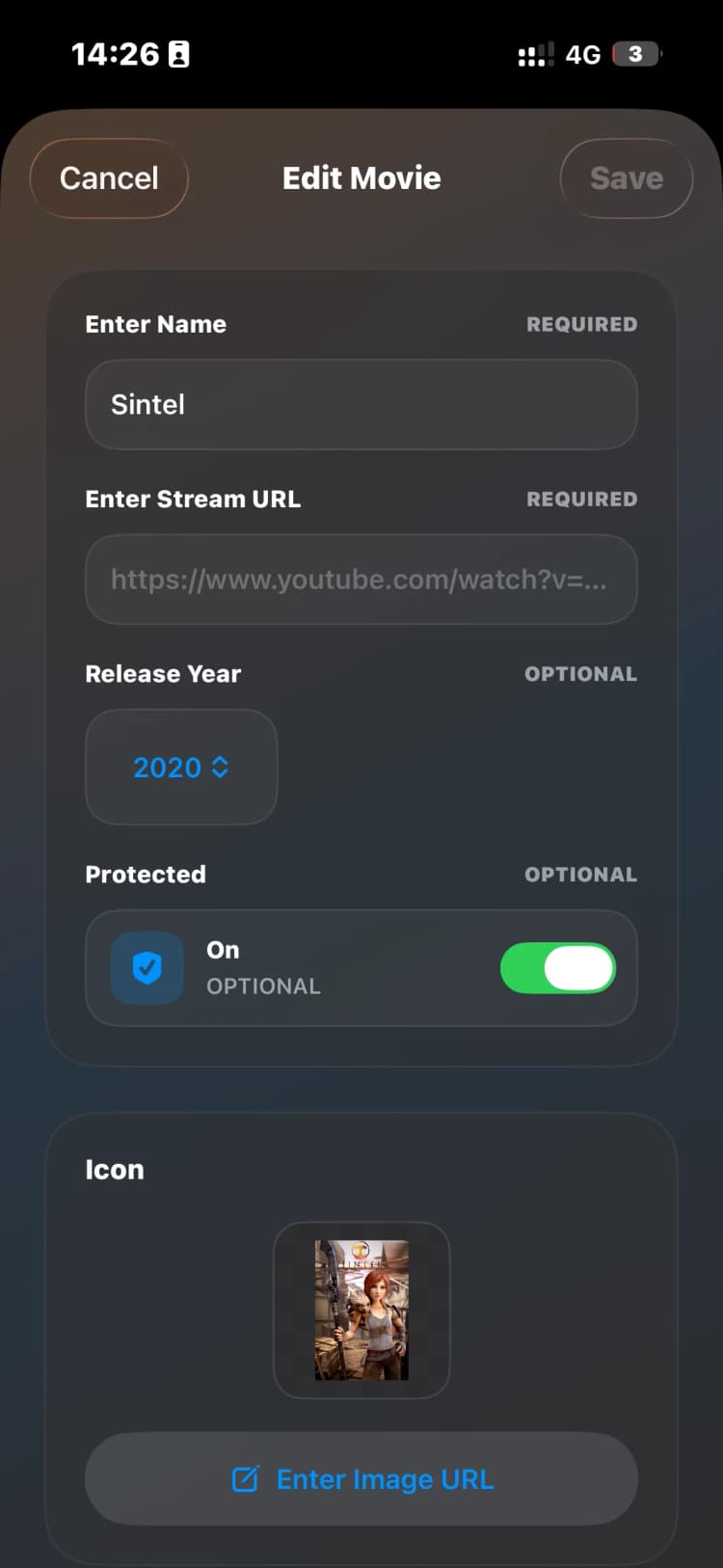
Select 'Edit' from the context menu to open the asset editor. Here you can update the name, stream URL, release year, and custom icon. The 'Protected' toggle enables a PIN lock on that specific item — once enabled, a lock badge appears in the playlist view and users must enter the correct PIN to access it. Tap Save when done.
Everything You Need to Stay Organised
Drag & Drop Reordering
Grab the handle on any playlist row and drag it to your preferred position. Your new order syncs instantly across all devices.
Mass Delete
Select multiple playlists with checkboxes and delete them in one tap. Clean up old or unused sources in seconds.
Copy to Favorites
Long-press any channel or movie to instantly copy it to your cloud-synced Favorites playlist — available on every device.
Parental Lock
Toggle the Protected switch on any playlist or content item to add a PIN lock. Ideal for restricting access to adult content.
Rich Asset Editing
Edit name, stream URL, release year, and artwork for any item — keeping your library clean and fully customised.
Real-Time Cloud Sync
Every change — reorder, delete, or lock — propagates instantly to all devices under your account via cloud sync.
Take Full Control of Your Playlists
Upgrade to 1IPTV Premium for unlimited playlists, real-time cloud sync, parental controls, and much more.
Get Premium Now